

Last updated:
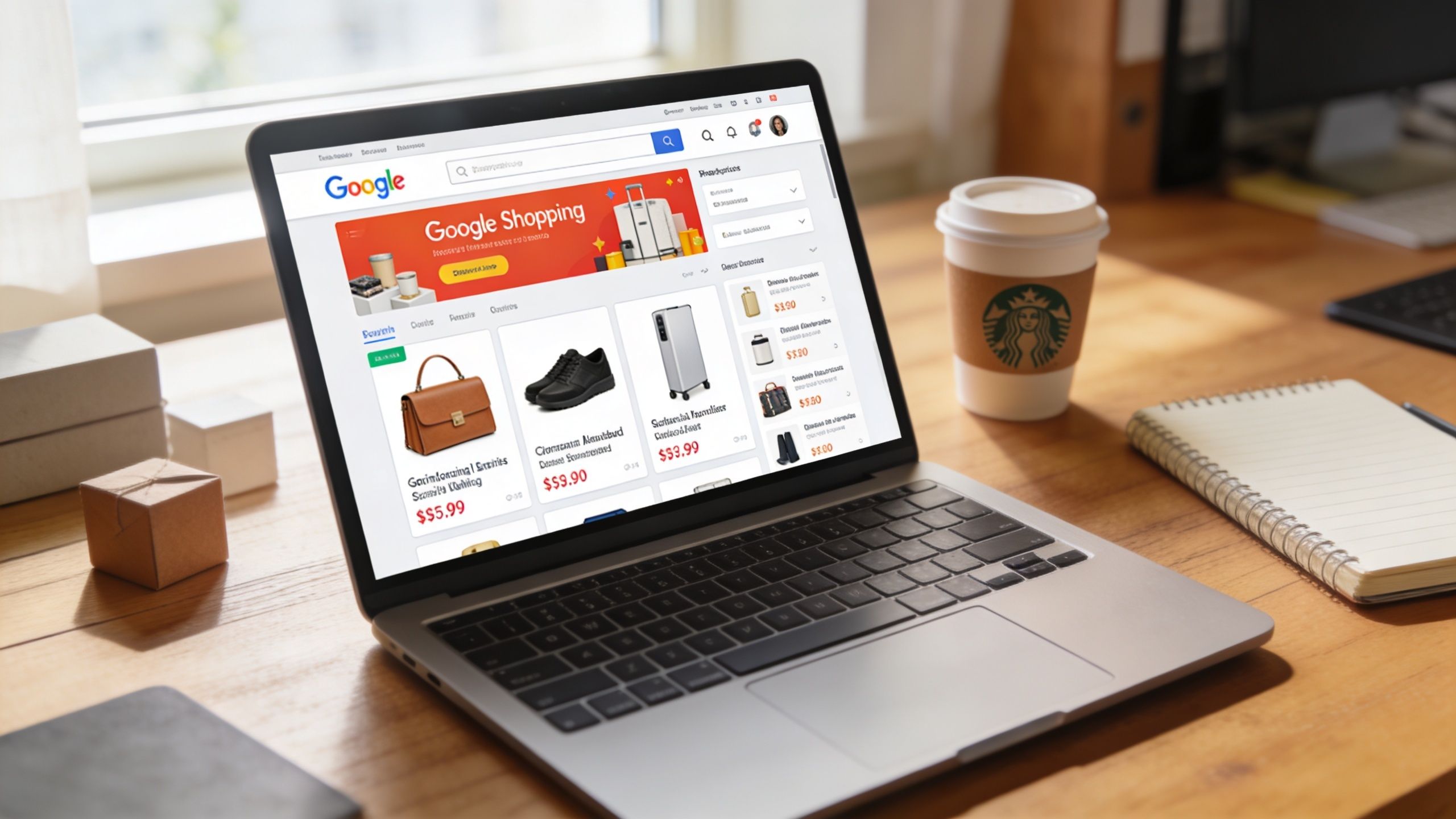
You search for one of your core offers on Google and the top of the page is filled with product cards, images, prices, and business names. Your competitors look organised. They look easy to buy from. Meanwhile, your ad is still a plain line of text, or worse, you’re not showing at all.
That’s usually the moment business owners start asking about shopping ads on google.
For a retailer, the idea is simple. Show the product, the price, and the seller before the click. For an Australian plumber, restaurant, solar installer, or hospitality venue, it gets murkier fast. Most guides assume you run a standard online store with neat stock levels, national shipping, and a catalogue full of physical products. That’s not how many local businesses operate.
Google Shopping ads still matter because they function like a digital shop window. They let buyers compare what’s on offer before they visit your site. The challenge is that service businesses need a different strategy. You’re not always selling a boxed item. You might be selling a call-out, a fixed package, a menu bundle, or a location-based offer.
If you want the broader context around paid channels before diving in, this guide to digital advertising for Australian SMBs gives the bigger picture.
Your Introduction to Google Shopping Ads
Google Shopping ads are visual product listings that pull information from your product data rather than relying only on ad copy. Instead of just telling someone what you do, they show what you sell. In practice, that means a shopper can see an image, title, price, and seller name before they click.
That format changes buyer behaviour. A standard search ad asks people to imagine the offer. A Shopping ad puts the offer in front of them. For businesses with clear packages, menu items, tools, accessories, replacement parts, or service bundles, that visibility can shorten the path from search to enquiry.
Why they matter to small businesses
Small businesses don’t have room for wasted clicks. A visual listing helps pre-qualify interest because the searcher sees key details upfront. If the offer isn’t right, they often won’t click. That’s good. It protects budget and reduces junk traffic.
For product sellers, that’s straightforward. For service businesses, the opportunity sits in how you frame the offer. A restaurant can promote a set menu, takeaway pack, or gift bundle. A plumber can test fixed-price service categories or commonly requested parts and installation packages.
Practical rule: If a buyer can understand the offer in one glance, it can often be shaped into a Shopping listing.
What makes this channel different
Shopping ads don’t begin with writing ad headlines first. They begin with data quality. Google needs structured information about what you’re offering. That’s why setup matters more here than in many other campaign types.
At a simple level, the system works like this:
- Google reads your feed: It uses your product data to understand what you sell.
- Google matches queries: It decides when your listings are relevant to a search.
- The shopper compares options: Your image, title, and price do a lot of the heavy lifting before the click.
If you’re a local service business, the primary challenge isn’t learning definitions. It’s deciding what should be advertised, how to name it, and whether the click is likely to turn into a profitable lead.
How Shopping Ads Capture Customer Attention
A person searches on their phone between jobs, bookings, or school pickup. They want a quick answer, not a research project. Shopping ads stand out because they show the offer upfront, with an image, a title, and a price before the click.
That changes buyer behaviour. Instead of reading several text ads and guessing which business is relevant, the searcher can compare options in seconds and choose the listing that looks closest to their need.
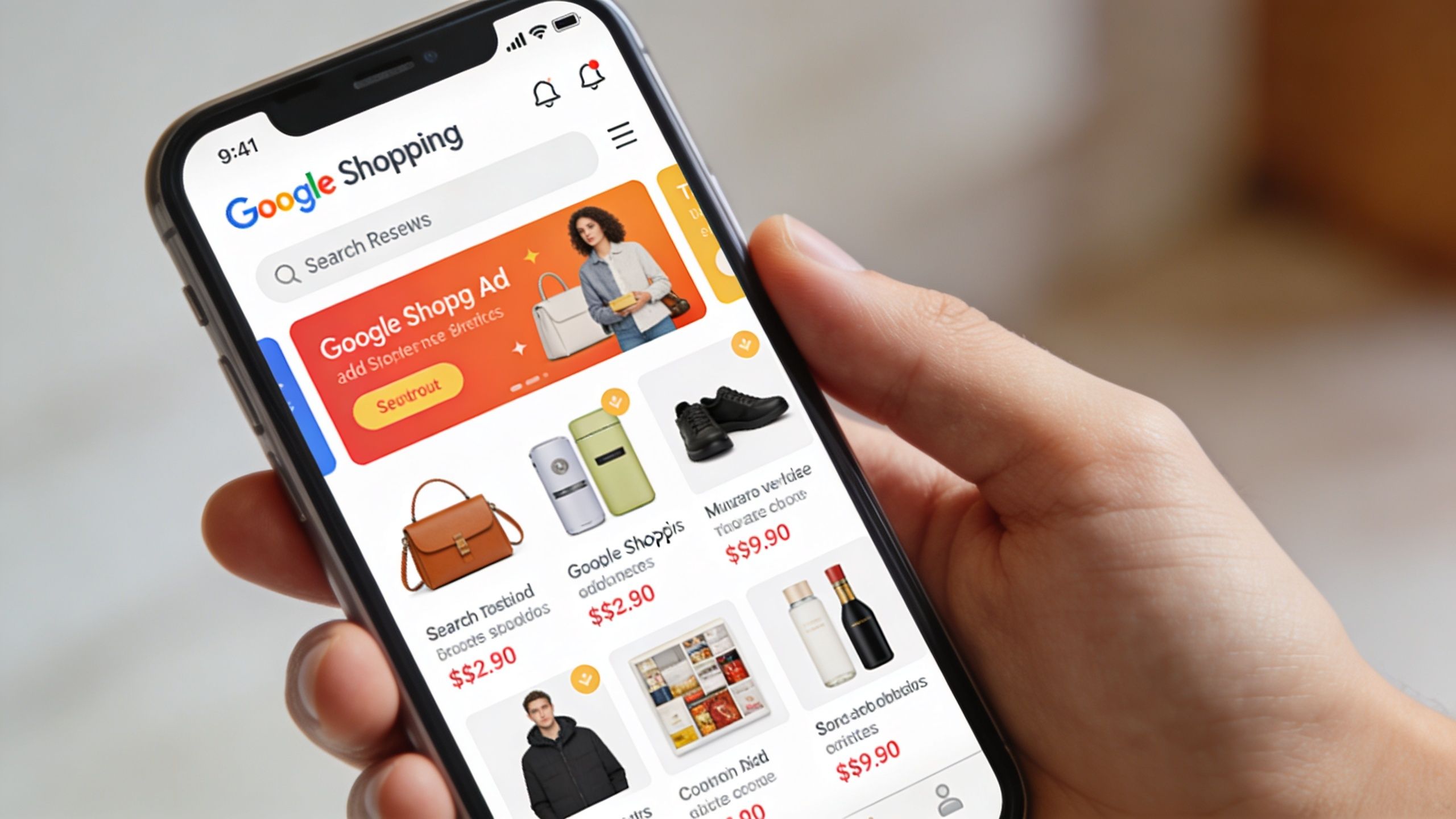
For an Australian retailer, that is straightforward. For a service business, the same attention pattern still applies, but the offer needs tighter packaging. A restaurant might feature a catering package, banquet menu, or gift card. A plumber might promote a fixed-price hot water service, tapware installation package, or a commonly replaced part paired with fitting.
For businesses investing across channels, this guide to boosting retail sales with digital advertising gives broader paid media context.
Where these ads actually appear
Shopping ads can surface across multiple Google properties, depending on campaign setup. That wider reach can help, especially if someone first searches on Google, later watches YouTube, or compares options again on another device.
Reach alone does not make a campaign profitable.
More placements can also spread budget into lower-intent traffic if the feed is vague or the offer is too broad. Small service businesses feel that waste quickly. A café with a clear pickup pack may do well. A vague listing for “food services” usually will not.
What gets the click
Four elements usually decide whether a shopper stops and clicks:
- Image quality: The visual needs to be clear enough to understand instantly.
- Title clarity: Use the words a customer would search, not internal labels.
- Price visibility: A real price, price range, or clear starting point helps filter casual clicks.
- Business credibility: Your business name carries weight when similar listings appear side by side.
For service-based businesses, the title often does more work than owners expect. “Emergency plumber Sydney” is still too broad for a Shopping format. “Hot water system replacement from $X” gives the buyer something concrete to assess. Restaurants face the same issue. “Catering” is weak. “Corporate lunch catering pack for 10” is easier to trust and compare.
If the offer is hard to understand in one glance, the listing usually struggles.
What loses attention fast
Shopping ads attract qualified clicks when the listing matches the buyer’s intent. They lose momentum when the creative raises questions instead of answering them.
Common problems include:
- a generic image
- a title that sounds like a category label rather than an offer
- pricing that feels hidden or inconsistent
- a landing page that drops the visitor onto a general homepage instead of the exact package or item
This last point matters a lot for trades and hospitality. If someone clicks a listing for a blocked-drain callout or a family meal deal and lands on a broad services page, trust drops immediately. The ad got attention, but the page failed the handoff.
Good Shopping performance often comes from reducing ambiguity. Clear offer. Clear price. Clear destination. That is what helps a small Australian business turn attention into real enquiries or sales instead of paying for curiosity.
Your Foundation Google Merchant Center and Product Feeds
Every Shopping campaign sits on two pieces of infrastructure. The first is Google Merchant Center. The second is your product feed.
Merchant Center is the back office. It stores the information Google needs to build and approve your listings. Your feed is the master inventory list you send into that system. If the feed is wrong, incomplete, or inconsistent, the campaign starts with a handicap.
If you already manage an online catalogue, this will feel familiar. If you don’t, think of it as creating a structured list of what you want Google to advertise.
For businesses refining online sales foundations more broadly, this guide to e-commerce optimisation is a useful companion.
What Merchant Center actually does
Merchant Center isn’t where you build ad campaigns. It’s where you manage the raw material behind them. That includes your items, prices, landing pages, and store details.
A lot of frustration starts when businesses try to fix campaign problems inside Google Ads while ignoring Merchant Center. If Google can’t trust the feed, campaign tweaks won’t save it.
The feed fields that matter most
Your feed can be created in a spreadsheet, exported from your website platform, or managed through a feed tool. However you build it, the core fields need to be accurate and usable.
Here are the essentials in plain English:
- ID: A unique label for each item so Google can track it properly.
- Title: The name of the product or package. This should describe the offer clearly, not just sound clever.
- Description: Useful supporting detail. Keep it specific.
- Link: The landing page where the user goes after the click.
- Image link: The image Google uses in the listing.
- Price: The amount shown in the ad. It must match the landing page.
How to write titles that help Google and buyers
Titles do more work than many businesses realise. They help Google understand relevance, and they help the shopper decide whether to click.
A poor title might be “Premium Service Package”. That’s vague. A better title names the actual offer. For a restaurant, that could be a family takeaway pack. For a trade business, it could be a hot water service package or a replacement valve installation if that’s how the offer is sold in practice.
Use the words customers use. Skip internal jargon.
Feed mindset: Don’t write titles like a brochure. Write them like labels in a shop.
Common setup mistakes
A few problems show up repeatedly:
- Homepage links instead of offer pages: Send the click to the exact page that matches the ad.
- Generic images: If the visual doesn’t make the offer obvious, the listing loses impact.
- Mismatched prices: Inconsistency between feed and landing page can trigger issues.
- Overstuffed descriptions: Adding every keyword you can think of usually makes the feed worse, not better.
For service businesses, there’s another issue. You may not have “products” in the traditional sense. That doesn’t mean you can’t use the format. It means your feed needs to be built around defined service packages, menu items, bookings, or fixed-scope offers instead of trying to force your entire business into one listing.
Choosing Your Google Shopping Campaign Type
The right campaign type depends on how much control you want, how complex your stock or offers are, and whether you need local intent more than broad reach. Most small businesses don’t need every option. They need the one that matches their operating reality.
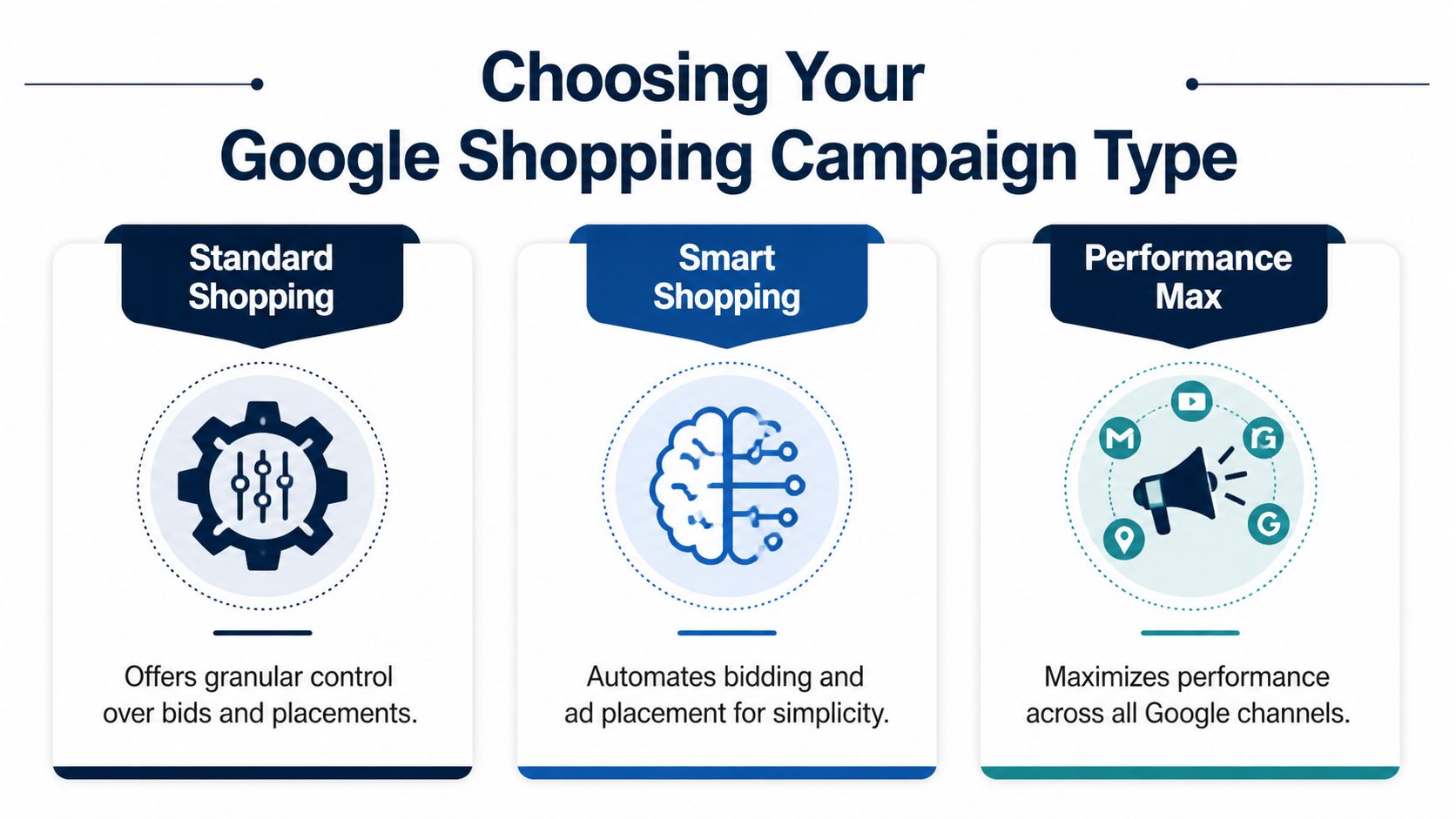
Standard Shopping gives you more direct control. Performance Max gives Google more control. Local Inventory Ads matter when nearby availability is part of the sale.
If you want help deciding how these fit into a wider paid search strategy, this overview of PPC management is a solid reference point.
Standard Shopping for tighter control
Standard Shopping is the closest thing to a manual transmission. You choose how to segment products, where to focus spend, and how aggressively to filter traffic.
This type suits businesses that want to shape structure carefully. If you know some categories have stronger margins, cleaner conversion paths, or better lead quality, Standard gives you room to reflect that in the account.
It’s also the better home for advertisers who want a hands-on negative keyword approach and clearer product group control.
Performance Max for broader automation
Performance Max is Google’s automated option. You feed it products and creative assets, then Google decides where to serve ads across its network.
That can be useful when a business wants scale without managing every setting manually. It can also create blind spots. If you don’t know which products or offers deserve budget priority, automation can spread spend too widely.
For service businesses, this trade-off is sharper. The system may generate visibility across Search, YouTube, Gmail, and other placements, but visibility isn’t the same as qualified local demand.
Local Inventory Ads for nearby intent
Local Inventory Ads matter most when the buyer wants something available nearby. They connect Shopping visibility with local presence and can surface through Maps-linked experiences.
That’s straightforward for retailers with stock on shelves. For trades and hospitality, it gets more strategic. The question becomes whether you can define a local offer in a way that behaves like inventory.
A practical way to choose
If you’re deciding between the main options, use this simple lens:
- Choose Standard Shopping if: You want tighter control over structure, filtering, and budget allocation.
- Choose Performance Max if: You have solid feed data, clear conversion tracking, and enough confidence to let automation handle more of the delivery.
- Look at Local Inventory Ads if: Nearby availability, local intent, or physical presence plays a major role in how customers buy from you.
What doesn’t work is choosing the most automated option just because it sounds easier. Easier to launch isn’t always easier to profit from.
A Practical Setup Checklist for Small Businesses
Most businesses don’t need a complex rollout plan. They need a clean launch sequence with the right checks in the right order. If you skip steps, you usually pay for it later through disapprovals, weak traffic, or wasted spend.

Budget planning matters early, not after launch. If you need a grounding in spend expectations, this guide on how much Google Ads cost is worth reading before you set daily limits.
Start with the account foundations
Work through the basic plumbing first.
- Create Google Merchant Center
Open the account using the business that will sell the offer. Keep ownership clean from the start.
-
Verify and claim your website
Google needs to know the website belongs to you. Don’t ignore this step or try to work around it.
-
Set up business details
Add store information carefully. If you serve a local area, make sure your business identity is consistent with the site and your ad account.
Build the first feed properly
Your first feed doesn’t need to be huge. It needs to be accurate.
A simple launch feed should include only the offers you’re comfortable promoting. For a restaurant, that might be a small set of menu bundles or featured packs. For a trade business, it might be a shortlist of defined service packages or product-and-install combinations.
Use this quality check before upload:
- Titles are clear: They describe the offer plainly.
- Landing pages match: Each listing goes to a relevant page, not the homepage.
- Images are usable: The product or package is obvious at a glance.
- Prices are current: If you show a price, the page needs to support it.
Link Merchant Center with Google Ads
This step is easy to rush and then forget. Don’t. Merchant Center holds the product data. Google Ads uses that data in campaigns. The two accounts need to be connected properly.
Once linked, check that the right account has access and that product data is flowing through as expected. If something looks missing, fix it before campaign build.
Here’s a quick walkthrough to support the setup process:
Launch settings that deserve real thought
Inside Google Ads, don’t just accept defaults.
Focus on these decisions:
- Campaign type: Choose based on control versus automation, not hype.
- Location targeting: Set the actual service area. A Gold Coast business shouldn’t pay for irrelevant national traffic unless there’s a clear reason.
- Budget: Start at a level you can afford to monitor and learn from.
- Bidding: Pick an approach that fits your data maturity. If tracking is patchy, don’t assume automation will rescue performance.
Pre-launch checks
Before the campaign goes live, run one final pass.
- Check feed approvals: If products are disapproved, solve that first.
- Check conversion tracking: If you can’t measure leads or sales properly, optimisation becomes guesswork.
- Check mobile experience: Many clicks will come from phones. Your page needs to load cleanly and make enquiry or purchase easy.
- Check message match: The listing, landing page, and offer should all feel like the same promise.
Launching fast matters less than launching clean. A weak first week often creates bad signals that are harder to unwind later.
Optimisation Strategies to Maximise Your ROI
A Shopping campaign can look busy and still lose money.
That happens a lot with Australian service businesses testing Shopping for packaged offers. A plumber may get clicks for parts-only searches when their actual goal is booked call-outs. A restaurant may attract bargain hunters for a premium set menu that was built to protect margin, not chase volume. Once the campaign is live, the work shifts to filtering traffic, improving match quality, and pushing spend toward offers that produce profitable jobs or orders.
Structure the campaign around business value
Campaign structure should reflect how the business makes money.
If different offers bring different margins, lead quality, or booking intent, split them. A restaurant might separate weekday takeaway bundles from higher-value catering packages. A trade business might break out emergency jobs, maintenance work, and larger installations. That gives you cleaner reporting and better control over budget and bids.
The goal is simple. High-value offers should not be dragged down by lower-value traffic.
Keep refining the feed, not just the bids
Bids matter, but feed quality often decides whether Google puts you in front of the right buyer in the first place.
Review titles, images, pricing clarity, and product descriptions. Remove vague offers. Rewrite copy that reads like an internal stock list instead of something a customer would understand at a glance. For service-based offers, this matters even more because the listing has to explain a packaged service quickly enough to earn the click.
Some businesses handle this inside Merchant Center and Google Ads. Others bring in outside help when feed updates keep slipping. Titan Blue Australia manages Google Shopping and broader Google Ads campaigns for Australian businesses, which can be useful when internal teams do not have the time to maintain feeds and optimise campaigns consistently.
Use negative keywords to stop budget leaks
Negative keywords help control who sees your ads and who does not. They are one of the clearest ways to improve efficiency in Shopping.
For hospitality and trade businesses, this can save a lot of wasted spend. If you sell a premium service, searches that include terms like “cheap”, “free”, or “DIY” may be a poor fit. A solar installer may want to avoid clicks from people comparing panel prices with no intent to buy installation. A restaurant promoting function packages may not want traffic from users looking for a one-off discount meal.
One guide on optimising Google Shopping ads points out that negative keywords are often underused. That lines up with what shows up in real accounts.
What to exclude and what to keep
Negative keyword work needs judgment. Cut too broadly and you lose relevant demand. Leave the account wide open and Google will spend into searches that were never likely to convert.
A practical review process looks like this:
- Block clear mismatches: Exclude terms that signal the wrong job type, wrong buyer, or wrong intent.
- Protect margin: If the offer depends on quality, speed, or bundled service, bargain-led searches may not be worth funding.
- Check search themes often: Review terms regularly instead of treating negatives as a one-time setup task.
- Test before excluding aggressively: Some price-sensitive searches still convert if the page explains the offer well.
Better ROI usually comes from better fit, not more traffic.
Watch trade-offs, not vanity signals
Clicks, impressions, and low CPC can look healthy in the interface. They do not pay the bills.
What matters is whether the campaign is producing worthwhile bookings, enquiries, or sales at a cost the business can live with. Automation can help, but it will often chase cheap traffic if the account structure and feed give it room to do that. The fix is usually practical rather than technical. Tighten the offer, exclude poor-fit intent, and keep budget focused on the products or service packages that support real profit.
Shopping Ads for Service Businesses A Unique Approach
A Brisbane plumber gets a click for “emergency hot water repair.” The visitor lands on a generic homepage, sees a long list of services, and has to guess what happens next. That click was expensive, and the page made the job harder than it needed to be.
That is the gap service businesses need to close if they want Shopping to work.
Most Google Shopping advice is written for retailers with standard products, fixed SKUs, and national delivery. Australian trades, restaurants, and local operators work differently. They sell urgency, availability, location coverage, call-out terms, bundled offers, and trust. A restaurant may be selling a Friday family pack, not a shelf item. A solar installer may be selling an assessment first, then a customized system after the site visit.

Productise the part of the service a buyer can judge fast
Shopping ads work better when the offer has a clear shape. The buyer should be able to tell, within seconds, what is being offered, who it is for, and what the next step looks like.
That usually means turning open-ended services into defined packages or entry-point offers.
Examples:
- For plumbers: Emergency hot water call-out, blocked drain inspection, tap replacement package
- For restaurants: Family meal bundle, weekend banquet, office catering package
- For solar businesses: Home solar assessment, inverter replacement service, consultation-led installation package
The offer does not need to cover every variable. It needs to be clear enough to earn the click.
Build around local buying intent
Service businesses win or lose on relevance. If you only service South East Queensland, the feed and landing pages should reflect that directly. A generic, national-looking setup usually attracts the wrong clicks or forces the customer to do extra work.
Use suburb, city, or service-region detail where it helps the buyer decide. A Gold Coast plumbing package should lead to a page that mentions Gold Coast service areas, response expectations, inclusions, and how to book. A Melbourne restaurant bundle should land on a page that shows pickup, delivery, or booking details that fit that location.
This is less about technical tricks and more about message fit. Google still needs enough structure to understand the offer, but the customer also needs confidence that you serve their area.
What tends to work for trades and hospitality
Retail logic breaks down quickly for service businesses. Better results usually come from a simpler structure built around clear entry points.
- Use fixed-scope offers: Defined packages are easier to match with search intent and easier to price.
- Send clicks to specific pages: A dedicated page for “blocked drain inspection” will usually outperform a broad services page.
- State inclusions clearly: Spell out what is covered, any call-out terms, and what happens after the enquiry.
- Start with a short feed: A small set of proven offers is easier to manage than dozens of vague variations.
- Match the offer to how people buy: Restaurants often need bundles and occasions. Trades often need urgent or problem-based packages.
There is a trade-off here. Tighter offers improve relevance, but they can feel less flexible internally. That is fine. The ad does not need to explain every edge case. It only needs to start the conversation with the right prospect.
What usually wastes spend
Some setups fail for predictable reasons. A common one is listing “all plumbing services” as a single product and sending every click to the homepage. Another is using internal labels that mean something to staff but nothing to the buyer.
The same problem shows up in hospitality. “Package A” or “Premium Option” says very little. “Family pasta bundle for 4” says enough to qualify the click.
If the customer needs to call just to work out what the ad means, the offer is still too vague.
For Australian service businesses, Shopping works best as a structured first step. It is a way to present a clear package, bundle, or assessment offer that filters for fit before the enquiry. That makes it useful even when the final sale still happens by phone, booking form, or on-site quote.
Putting It All Together for Business Growth
Google Shopping works when the setup matches the business model. That means clean Merchant Center data, relevant landing pages, and a campaign type that suits how much control you need. It also means accepting that optimisation is ongoing. Titles, images, structure, bidding, and exclusions all shape whether the traffic is profitable.
For retailers, the path is familiar. For trades, hospitality, and other local service businesses, the opportunity sits in packaging offers clearly enough for Google and customers to understand them quickly. That’s where many Australian businesses can gain an edge, because most advice still treats Shopping as a retail-only channel.
If you’re serious about using shopping ads on google, don’t start with hacks. Start with the offer, the feed, and the buyer’s intent. Then test with discipline.
If you want help turning Google Shopping into a practical lead or sales channel, Titan Blue Australia works with Australian businesses on Google Ads strategy, campaign management, and the local commercial realities that generic global playbooks often miss.
Make Titan Blue a preferred source in Google
One click tells Google to surface our articles more often in Top Stories, AI Overviews and AI Mode.

Best Dental Website Design Agencies in Australia: 7 Compared
Best dental website design agencies in Australia 2026: seven compared on dental proof, booking, AHPRA…

Childcare Centre Website Design Australia: The 2026 Guide
Childcare centre website design Australia: show hours, ages and enrolment as text so parents and…

Electrician Website Design Australia: The 2026 Guide
Electrician website design Australia: what to build, what we found on eight Gold Coast electrician…