

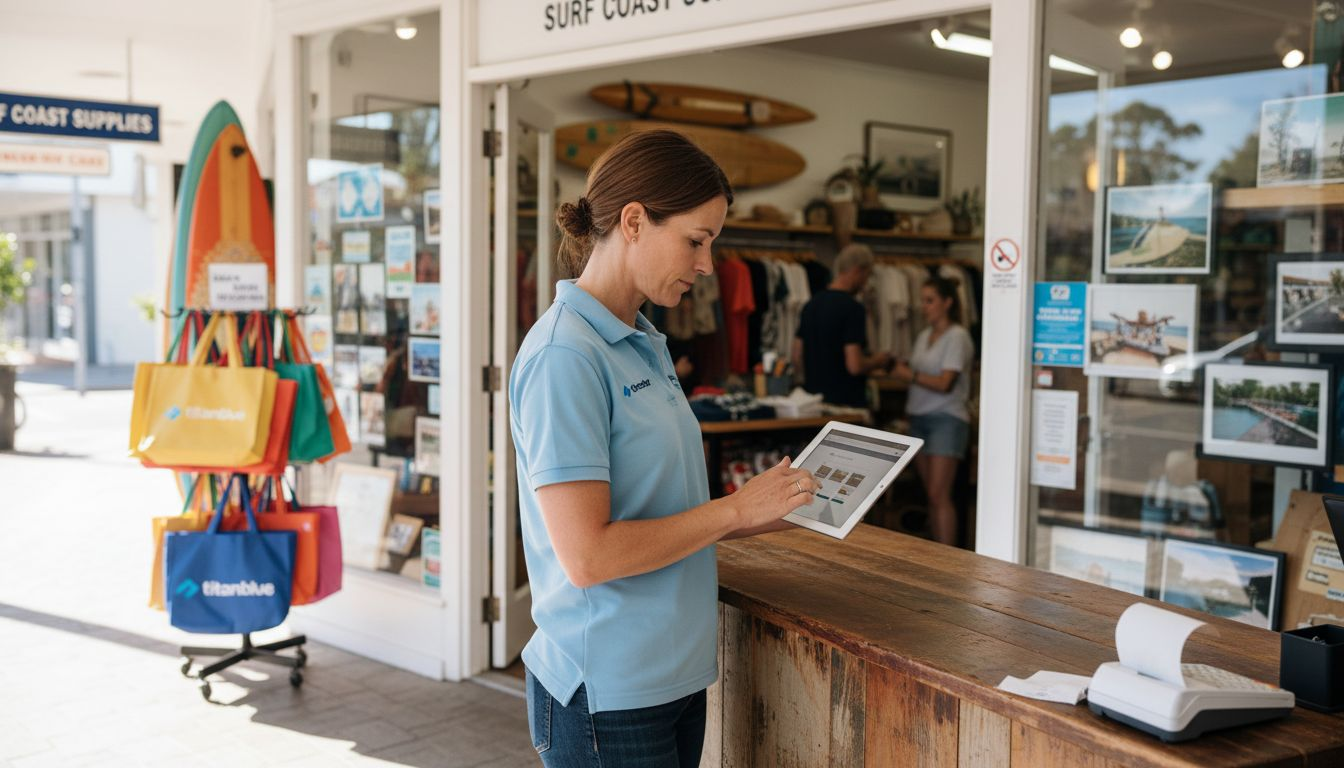
Drawing shoppers to your Gold Coast retail website is only half the battle. Confusing layouts, slow pages, and poor mobile experiences can cost you sales before customers ever reach the checkout. Every wasted second and unnecessary click creates an opportunity for buyers to leave and spend their money elsewhere.
The good news is that you can address these problems with targeted design improvements that deliver immediate benefits. By focusing on practical web design tactics proven to enhance user experience and accessibility, you will set your business apart from the competition.
In the steps ahead, you are about to discover actionable methods that make your website faster, easier to use, and adaptable for every customer—including those on mobiles and people with disabilities. Master these, and you will turn more visitors into loyal buyers.
Table of Contents
- Start With Mobile-Friendly Website Design
- Optimise Page Speed For Better User Experience
- Use Clear Navigation And Simple Layouts
- Enhance Online Security For E-Commerce Customers
- Incorporate Strong Call-To-Action Elements
- Focus On Local SEO For Greater Visibility
- Integrate Easy Payment And Checkout Options
Quick Summary
| Key Message | Explanation |
|---|---|
| 1. Optimise for Mobile Devices | A mobile-friendly design enhances user experience, increasing customer retention and sales. Over 70% of traffic comes from mobile users on the Gold Coast. |
| 2. Improve Page Loading Speed | Every second of delay in loading speed can lead to a 7% reduction in conversions, significantly affecting sales. Optimise images and reduce scripts to enhance speed. |
| 3. Simplify Website Navigation | Clear navigation helps customers find products quickly, which is crucial for conversion. If users can’t locate items within three clicks, they may leave the site. |
| 4. Ensure Online Security | A secure website fosters customer trust and compliance with regulations, preventing data breaches which can damage your reputation. Implement SSL and stay PCI compliant. |
| 5. Streamline Checkout Process | A simplified checkout with multiple payment methods reduces cart abandonment. Ensure it is easy and quick to navigate, especially on mobile devices. |
1. Start With Mobile-Friendly Website Design
Over 70% of Gold Coast web traffic comes from mobile devices. If your website isn’t optimised for smartphones and tablets, you’re losing customers before they even see what you sell.
Mobile-friendly design isn’t about squeezing your desktop site into a smaller screen. It’s about creating an experience that works brilliantly on any device your customers use.
Why mobile matters for your retail business
Customers use phones and tablets to browse whilst shopping, comparing prices, checking hours, and making purchase decisions on the go. A slow, clunky website sends them straight to your competitor.
Mobile-friendly website layouts that adapt seamlessly to different screen sizes improve user experience dramatically. When navigation is easy and content loads quickly, customers stay longer and buy more.
Mobile accessibility also matters beyond convenience. Digital access through mobile-friendly design ensures all customers, including those with disabilities, can use your site comfortably.
What mobile-friendly actually means
Mobile-friendly websites have:
- Text that’s readable without zooming
- Buttons and links large enough to tap easily
- Fast loading speeds optimised for mobile networks
- Content arranged vertically for scrolling, not sideways
- Forms that work smoothly on touch screens
These aren’t optional features. They’re baseline expectations.
How to implement mobile-friendly design
Start with responsive design, which automatically adjusts your layout based on screen size. This single approach works across phones, tablets, and desktops instead of building separate versions.
Test your site on actual devices. Open your website on an iPhone, Samsung, and tablet. Does it look right? Does it feel fast? Does tapping buttons work smoothly?
Speed matters enormously on mobile. Large images and slow servers frustrate customers using 4G networks. Compress images and clean up unnecessary code.
Thumb-friendly navigation is critical. Place your menu and key buttons where thumbs naturally reach on a phone. Don’t bury important links at the top.
Mobile-friendly design isn’t a nice-to-have feature—it’s the foundation of retail success online.
Gold Coast retailers who embrace mobile-first design see higher conversion rates, longer session times, and happier customers. Your competitors are already doing this. The question is whether you’ll catch up.
Pro tip: Test your website on Google’s Mobile-Friendly Test tool right now. If it fails, fix it within the next fortnight—mobile performance directly impacts both customer experience and search rankings.
2. Optimise Page Speed for Better User Experience
A one-second delay in page load time can cost you 7% of conversions. For Gold Coast retailers, that means lost sales every single day your website runs slowly.
Page speed isn’t just about keeping customers happy. It directly affects your search engine rankings, mobile usability, and ultimately, your bottom line.
Why speed matters for retail websites
Customers expect websites to load instantly. They’re comparing your site against competitors who load in under three seconds. Slow sites frustrate visitors and send them elsewhere.
Search engines prioritise fast websites. Google ranks faster sites higher in search results, which means better visibility for local customers searching for your products.
Mobile users especially notice slow speeds. When someone’s on a 4G connection browsing your catalogue, every second counts.
The biggest speed killers
Large, unoptimised images are the main culprit. A single high-resolution photo can be 5MB when it should be 200KB.
Too many third-party scripts slow things down. Tracking tools, chat widgets, and social plugins add weight to your pages.
Poor hosting or outdated servers create bottlenecks. You can optimise everything, but a slow server defeats your efforts.
How to speed up your website
Optimising images by resizing and compressing them reduces page load times significantly. Use modern formats like WebP instead of older JPEG files.
Minimise unnecessary plugins and scripts. Every extra tool you add slows your site. Only keep what genuinely serves your customers.
Enable browser caching so repeat visitors load your site faster. Their browser remembers static files instead of downloading them again.
Compress your code. Removing unnecessary characters from CSS, JavaScript, and HTML reduces file sizes without changing functionality.
Consider a content delivery network (CDN) if you’re serving customers across Australia. It distributes your content from servers closer to visitors.
Fast websites convert better, rank higher, and keep customers happy.
You can measure your current speed using free tools like Google PageSpeed Insights. Test both desktop and mobile versions. If you’re below 50 out of 100, you have work to do.
Pro tip: Start by compressing your largest images this week, then measure the improvement using PageSpeed Insights. Small optimisations add up quickly, and you’ll see measurable results within days.
3. Use Clear Navigation and Simple Layouts
Confused customers don’t buy. If visitors can’t find what they’re looking for within three clicks, they leave your site for a competitor who makes it easier.
Simple navigation and straightforward layouts are the foundation of retail websites that actually convert browsers into buyers.
Why navigation matters more than you think
Your menu is the first thing customers see. It needs to tell them exactly where to go without making them think. Complicated menus with hidden submenus frustrate people.
Clear navigation reduces cognitive load. When customers don’t have to puzzle out your website structure, they focus on your products instead.
Clear navigation and logical structure help all users find information efficiently, improving overall satisfaction. This matters for every customer, not just those with disabilities.
What simple layout means for retailers
Simple doesn’t mean boring or empty. It means every element has a purpose and a clear reason for being there.
A well-organised layout guides customers naturally through your site. They flow from discovering products to reading details to making purchases without friction.
Consistent layouts across pages build familiarity. When your checkout page looks and feels like your product pages, customers trust the experience.
Building navigation that works
Your main menu should contain only your most important categories. Five to seven items is ideal. Anything more overwhelms visitors.
Use clear, descriptive labels. Avoid creative or vague names. Say “Women’s Clothing” not “Collections.” Say “Contact Us” not “Get In Touch.”
Implement a search function. Some customers prefer searching to browsing. Make it prominent and functional.
Include breadcrumb trails so visitors know where they are. Breadcrumbs show the path from the homepage to the current page.
Add a footer menu with less critical links. Contact information, policies, and social links belong here, not cluttering your main navigation.
Layout principles that convert
Place your most important content above the fold (what’s visible without scrolling). That’s usually your best-selling products or key calls to action.
Use white space strategically. Cramming everything together overwhelms visitors. Breathing room makes pages feel organised and professional.
Keep pages to one clear purpose. A product page sells that product. A contact page gets contact information. Don’t mix multiple goals on one page.
Simple, clear navigation removes friction between customers and purchases.
Look at practical examples of website design for local businesses to see clear navigation in action. Notice how easy it is to find what you’re looking for.
Pro tip: Ask five people unfamiliar with your business to find a specific product on your website and buy it. Time how long it takes and note where they get confused. That feedback tells you exactly what navigation needs fixing.
4. Enhance Online Security for E-Commerce Customers
One data breach can destroy your reputation and lose you customers for life. Gold Coast retailers handling online payments must take security seriously or risk losing customer trust and facing legal consequences.
Security isn’t optional when you’re selling online. It’s your responsibility to protect customer information.
Why security matters for your business
Customers won’t buy from websites they don’t trust. If they see security warnings or hear about breaches, they shop elsewhere.
Australian regulations require retailers to protect consumer data. Breaking these rules costs money in fines and damages your credibility.
A single breach exposes credit card numbers, addresses, and personal information. The costs of fixing a breach far exceed the investment in preventing one.
Security essentials for e-commerce sites
SSL certificates encrypt data between your customer’s browser and your server. Look for the padlock icon in the address bar. Without it, customer data travels unprotected.
Payment gateways must be PCI compliant. Never store credit card information on your own servers. Use trusted payment processors like Stripe or Square instead.
Multi-factor authentication and encryption are crucial security practices for retail businesses operating online. These prevent unauthorised access even if passwords are compromised.
Keep software updated constantly. Hackers exploit outdated WordPress plugins and theme vulnerabilities. Updates patch security holes before criminals exploit them.
Regular security audits identify weaknesses. Test your system for vulnerabilities before attackers find them.
Building customer confidence
Display your security credentials prominently. Show your SSL certificate, mention PCI compliance, and list any security certifications.
Be transparent about data handling. Tell customers exactly what information you collect and how you protect it. Privacy policies matter more than you think.
Implement strong password requirements. Force customers to use complex passwords that are harder to crack.
Monitor suspicious activity constantly. Watch for unusual login attempts or transactions that look like fraud. Catch problems early.
Quick security checklist
- Install an SSL certificate (green padlock visible)
- Use PCI compliant payment processors
- Enable two-factor authentication for admin accounts
- Update all software weekly
- Scan for malware monthly
- Back up your database daily
- Keep customer data for only as long as needed
Investing in security today prevents costly breaches tomorrow.
Security builds trust. Customers who feel safe spending money with you become loyal, repeat buyers.
Pro tip: Run a free security scan on your website using tools like Sucuri or Wordfence this week. Address any vulnerabilities immediately, then display a security badge on your site to reassure customers their information is protected.
5. Incorporate Strong Call-to-Action Elements
A visitor reading your product description is interested. But if you don’t tell them exactly what to do next, they’ll wander off and never complete the purchase.
Calls to action (CTAs) are the bridge between interest and conversion. They tell customers precisely what step comes next.
What makes a call to action actually work
Strong CTAs use clear, direct language. Tell customers exactly what happens when they click. Say “Buy Now” or “Add to Cart,” not “Submit” or “Continue.”
The best CTAs create urgency or excitement. “Shop the Sale” feels more compelling than “View Products.” “Claim Your Discount” outperforms “Learn More.”
Clear and strong call-to-action elements guide users towards desired outcomes like purchasing or contacting, improving conversion rates significantly.
Design matters as much as words. Your CTA button should stand out visually from the rest of the page. Use contrasting colours that draw the eye immediately.
Where to place CTAs for maximum impact
Place your primary CTA above the fold, where customers see it without scrolling. Don’t make them hunt for the buy button.
Repeat CTAs throughout longer pages. Product descriptions, testimonials, and feature lists should each have their own CTA nearby.
Add CTAs in your footer as a final catch for customers scrolling to the bottom. They’ve almost left your site—this is your last chance.
Include CTAs in email marketing and social media posts. Every touchpoint is an opportunity to drive action.
CTA strategies that convert
- Use action verbs to start buttons (Buy, Shop, Download, Subscribe, Reserve)
- Keep button text short (2-4 words maximum)
- Make buttons large enough to tap easily on mobile
- Use contrasting colours that stand out from your background
- Add urgency with language like “Now,” “Today,” or “Limited Time”
- Test different button text to see what resonates
Content and conversion work together
Persuasive website content that engages and converts works hand in hand with strong CTAs. Great product descriptions build desire, but CTAs close the sale.
Don’t make customers guess what happens next. Guide them step by step towards making a purchase.
A strong CTA removes friction between customer desire and customer action.
Your homepage, product pages, and checkout should each have prominent CTAs telling visitors exactly what to do.
Pro tip: A/B test your button text this month. Try “Buy Now” versus “Add to Basket” or “Shop Sale” versus “View Deals.” Measure which version gets more clicks. Small wording changes often produce surprising conversion improvements.
6. Focus on Local SEO for Greater Visibility
When someone on the Gold Coast searches “furniture store near me” or “best coffee shop Broadbeach,” do they find your business? Local SEO determines whether you appear in these crucial local searches.
Local customers are your most valuable customers. They’re ready to visit and spend money right now, not someday.
Why local SEO matters for Gold Coast retailers
Gold Coast customers search locally. They want to find businesses in their area, not across Australia. If you’re not optimised for local search, you’re invisible to nearby customers actively looking for what you sell.
Google prioritises local results. When someone searches with location intent, Google shows nearby businesses first. This is your opportunity.
Effective local SEO ensures business websites are easily discoverable by nearby customers through location-specific keywords and optimised Google My Business listings.
Local search builds foot traffic. Customers who find you online often visit your physical store. Online visibility drives real-world sales.
Google My Business is your foundation
Claim and optimise your Google My Business listing immediately. This is the single most important local SEO action.
Your business name, address, and phone number must be exactly correct everywhere online. Inconsistencies confuse Google and hurt your rankings.
Add high-quality photos of your store, products, and team. Customers want to see what they’re getting before they visit or call.
Encourage customer reviews constantly. More reviews and higher ratings improve your local visibility significantly.
Local keywords make the difference
Target location-specific keywords. Instead of “coffee shop,” use “best coffee shop Surfers Paradise” or “coffee near Labrador.”
Create content around local topics. Write blog posts about Gold Coast events, local guides, and neighbourhood-specific information.
Mention your location naturally throughout your website. Include suburb names, landmarks, and local references in your content.
Building local citations and authority
List your business in local directories. Google Maps, Yelp, TripAdvisor, and industry-specific directories build credibility.
Maintaining accurate business information in local directories improves Google rankings and increases visibility in local search results.
Get listed in community websites and local business associations. These citations strengthen your local authority.
Partner with other local businesses. Link exchanges and cross-promotions improve both visibility and community presence.
Local SEO quick wins
- Claim Google My Business today
- Add your complete address and phone number
- Upload 10 to 15 quality photos
- Request reviews from recent customers
- Add local keywords to your homepage
- Create location-specific landing pages
- Update your Google Business hours
Local SEO turns nearby customers into your best customers.
Gold Coast retailers who master local SEO dominate their neighbourhoods in search results.
Pro tip: Search your business name plus your suburb in Google Maps right now. If your listing isn’t showing or contains outdated information, fix it immediately. Then ask your five happiest customers to leave reviews this week.
7. Integrate Easy Payment and Checkout Options
A customer ready to buy abandons their cart if checkout feels complicated. Friction at the final step costs you sales. Make payment simple and you keep the money.
The easier you make paying, the more customers complete purchases.
Why checkout simplicity matters
Checkout is where browsers become buyers. One confusing step, one missing payment option, and customers leave. They’ll shop somewhere else instead.
Australian customers expect multiple payment methods. If you only accept credit cards, you lose customers who prefer other options.
Mobile customers especially struggle with complex checkouts. Small screens and clunky forms frustrate people trying to buy on their phones.
A smooth checkout process builds trust. Customers feel confident completing purchases when the process feels straightforward and secure.
Payment methods customers expect
Offering multiple payment options including online payments and secure transfer methods facilitates smooth transactions and improves customer convenience significantly.
Credit and debit cards are baseline. Visa, Mastercard, and American Express should all work.
PayID and bank transfers appeal to Australian customers. Some prefer paying directly from their bank account instead of using cards.
Buy now, pay later services like Afterpay and Klarna attract younger customers. These options let people spread payments across multiple installments.
Digital wallets like Apple Pay and Google Pay make mobile checkout faster. Customers tap once instead of entering card details manually.
Building a checkout that converts
Keep checkout to three to four steps maximum. The fewer pages customers see, the fewer places they can abandon.
Show progress clearly. Tell customers which step they’re on (Step 1 of 3, for example). This reduces anxiety about how long checkout takes.
Allow guest checkout. Don’t force customers to create accounts before buying. Many customers abandon carts rather than register.
Display security badges prominently. Show your SSL certificate and payment processor logos. Customers need to know their data is safe.
Make shipping costs clear upfront. Hidden fees at checkout shock customers and trigger abandonment. Show total cost before they commit.
Checkout optimisation tactics
- Auto-fill address fields using postcode lookups
- Save customer information for repeat purchases
- Show recommended products during checkout
- Enable one-click purchasing for returning customers
- Test checkout on mobile devices constantly
- Track where customers abandon carts
- Send recovery emails to customers who leave without buying
Easy checkout converts browsers to buyers and buyers to repeat customers.
Every extra step in your checkout costs you sales. Streamline ruthlessly.
Pro tip: Test your checkout process from start to finish on your phone right now. Time yourself. If it takes more than two minutes or requires more than three form pages, redesign it immediately. Then test on desktop too and measure the results.
Below is a comprehensive table summarising key strategies for creating effective retail websites as presented in the article.
| Strategy | Description | Expected Outcomes |
|---|---|---|
| Mobile-friendly website design | Emphasising responsive layouts and optimised navigation for mobile devices to enhance user experience. | Increased accessibility and user retention. |
| Page speed optimisation | Reducing load times through image compression, code optimisation, and caching. | Improved search rankings and conversion rates. |
| Simple navigation and layout | Creating clear menus, descriptive labels, and logical page designs. | Enhanced usability and customer satisfaction. |
| E-commerce website security | Implementing SSL certificates, PCI-compliant payment processors, and regular updates for secure transactions. | Fostered customer trust and data protection. |
| Strong call-to-action elements | Including direct language, visually distinct buttons, and strategic placement of CTAs throughout the site. | Higher engagement and conversion rates. |
| Local SEO strategies | Optimising Google My Business listings and incorporating location-specific keywords to improve local visibility. | Increased local traffic and sales. |
| Easy payment and checkout options | Facilitating streamlined checkout with multiple payment methods and reduced steps. | Minimized cart abandonment and enhanced sales. |
Unlock Your Gold Coast Retail Success With Expert Web Design Solutions
The challenges highlighted in “7 Web Design Best Practices for Gold Coast Retailers” are clear. From creating mobile-friendly designs that captivate on any device to optimising page speed, navigation, security, and checkout simplicity, every detail influences your customers’ decisions. You want your website to not only attract visitors but to convert them into loyal buyers by providing a seamless, secure, and locally relevant experience. This requires expert guidance and a results-driven strategy that understands your unique business goals and the Gold Coast market.
At Titan Blue, we specialise in crafting custom website design and cutting-edge SEO strategies that bring these best practices to life. Our team combines local expertise with innovative tools like AI Search and Generative Engine Optimisation to enhance your online presence and drive real growth. Whether it is improving checkout flow to reduce abandoned carts or boosting your visibility through targeted digital advertising, we are your partner in delivering measurable results.
Ready to transform your retail website into a powerful sales engine that works flawlessly on every device and increases foot traffic with targeted local SEO? Visit Titan Blue today to explore our full-service digital solutions. Let us help you implement proven web design best practices now so you never miss another customer.
Discover how our custom website design and SEO expertise can elevate your Gold Coast retail business. Take the first step and connect with us at Titan Blue to start your growth journey immediately.
Frequently Asked Questions
How can I make my website mobile-friendly?
Making your website mobile-friendly involves using responsive design that adapts to various screen sizes. Start by testing your site on different mobile devices and ensure text is readable without zooming and buttons are easy to tap.
What steps can I take to improve my website’s loading speed?
To improve your website’s loading speed, optimise images by resizing and compressing them. Aim to reduce image sizes to around 200KB to significantly enhance page load times, which can increase conversions by 7% with every second saved.
Why is clear navigation essential for my retail site?
Clear navigation is essential because it helps customers find products quickly and easily. Simplify your menu to include only the most important categories, ideally five to seven items, to reduce customer frustration and encourage purchases.
What security measures should I implement for my e-commerce site?
To ensure your e-commerce site is secure, install an SSL certificate to protect customer data and use PCI compliant payment gateways. Regularly update your software and conduct security audits to identify vulnerabilities, helping to enhance customer trust and protect against data breaches.
How can I effectively use call-to-action buttons on my website?
Use clear and direct language in your call-to-action buttons, such as “Buy Now” or “Add to Cart”. Position these buttons prominently on your pages, especially above the fold, to guide customers toward completing their purchase efficiently.
What local SEO practices should I follow to improve visibility?
To improve local SEO, claim and optimise your Google My Business listing and ensure your business name, address, and phone number are consistent online. Incorporate local keywords throughout your website content and encourage customer reviews to enhance local search rankings.
Recommended
- Role of Web Design – Driving Gold Coast E-Commerce
- Website Design Fundamentals: Driving Gold Coast Success
- 6 Examples of SEO Strategies for Gold Coast Businesses
- 7 Practical Examples of Website Design for Local Businesses
Make Titan Blue a preferred source in Google
One click tells Google to surface our articles more often in Top Stories, AI Overviews and AI Mode.

How to Make Your Website AI Friendly: The 2026 Step-by-Step Guide
How to make your website AI friendly: a step-by-step 2026 guide to getting crawled, structured…

Web Design for AI Search Optimisation: The 2026 Build Guide
Web design for AI search optimisation: crawlable HTML, clear architecture, accessible UX and trustworthy content…

AEO Web Design: How to Build Websites AI Can Cite
AEO web design creates websites that AI systems can find, understand and cite through clear…