

Last updated:
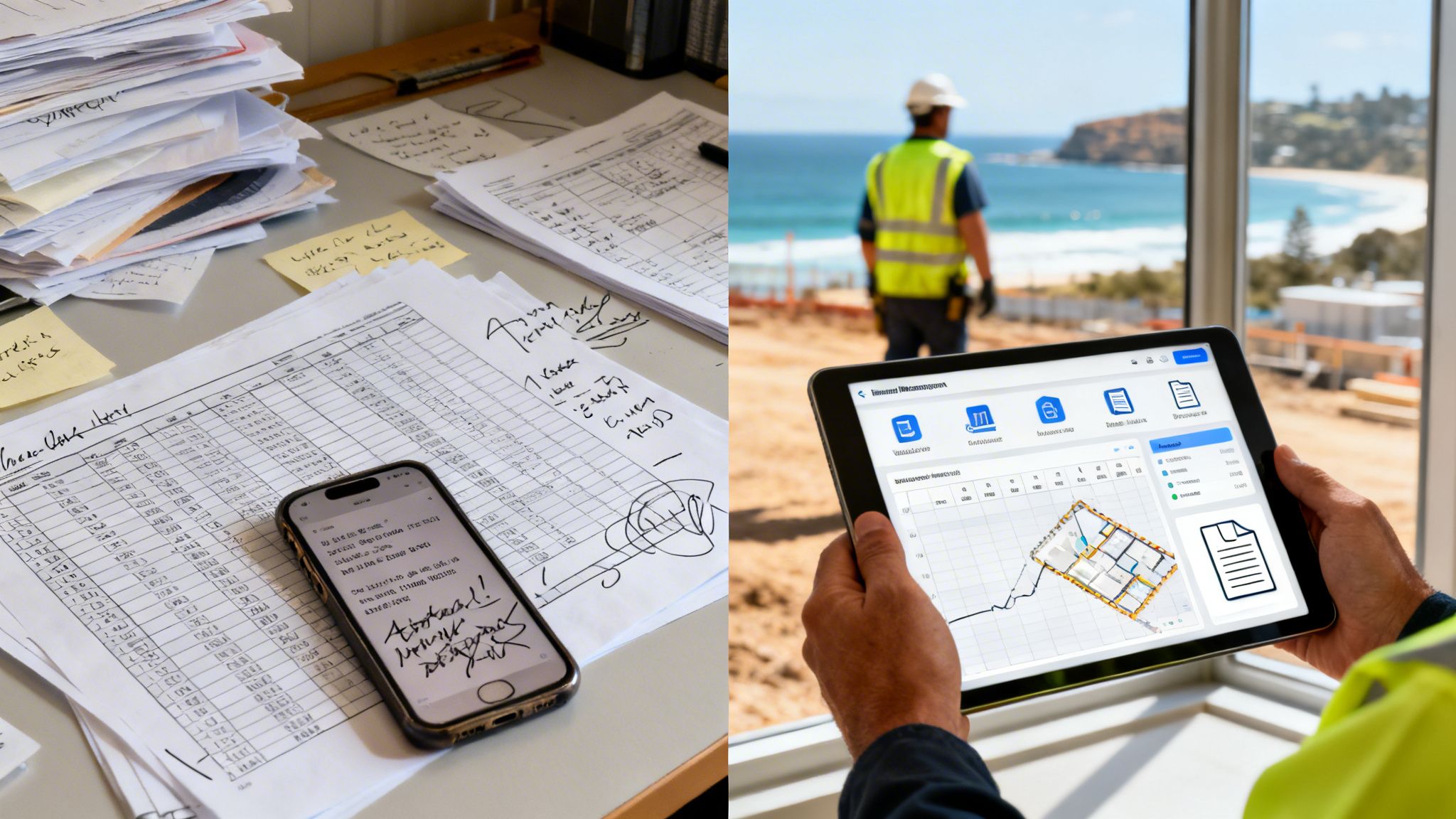
If you're still running your construction business on a jumble of spreadsheets, text message chains, and paper notes, you know the chaos. It’s the modern-day equivalent of trying to build a high-rise with just a hammer and nails—sure, it might be possible, but it’s painfully inefficient.
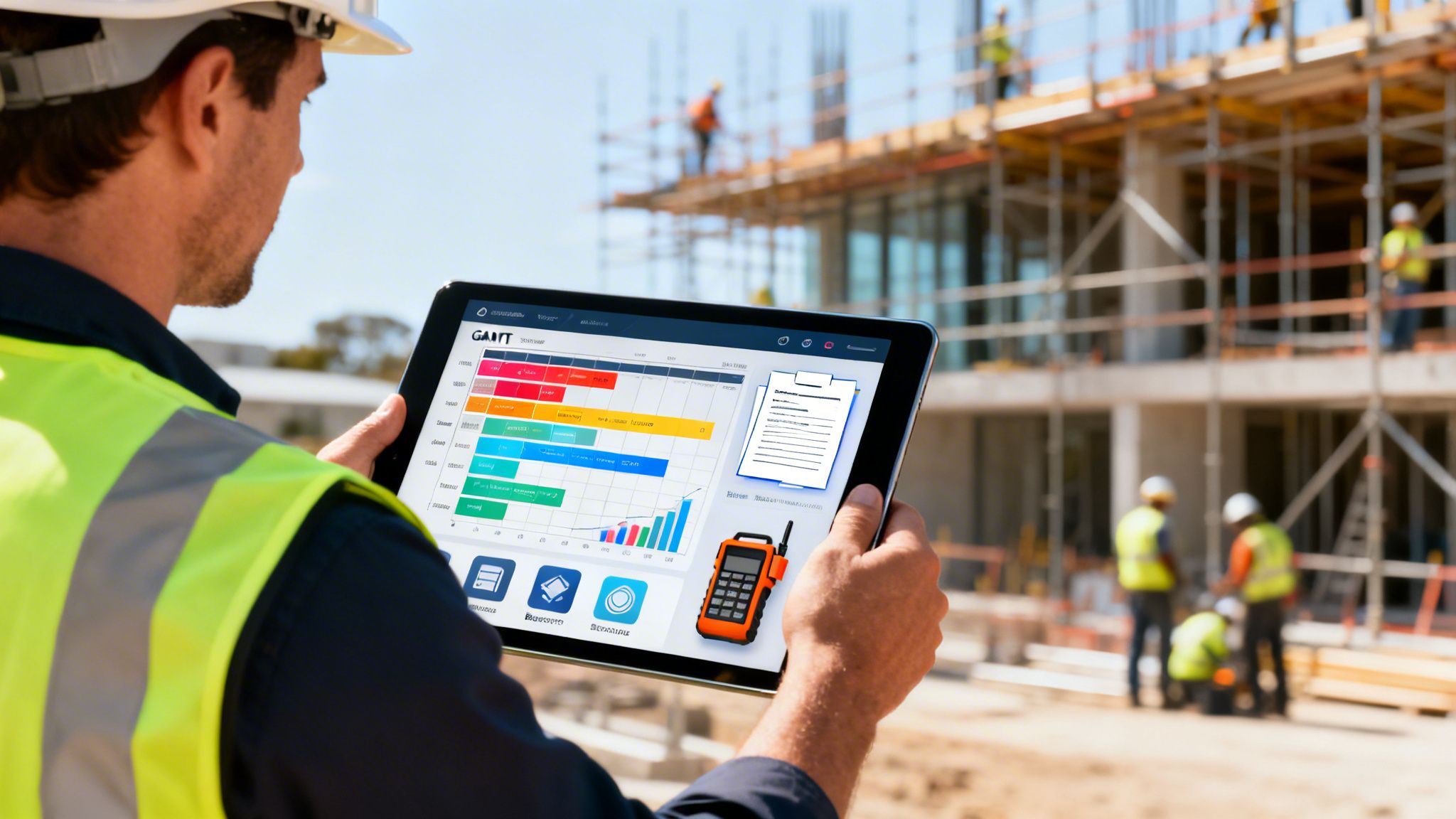
Construction project management software steps in to replace that mess with a single, central system. Think of it as the digital command centre for your entire project, connecting the office team with the crews on-site in real time.
Ditching Spreadsheets for Smarter Operations
Relying on disconnected spreadsheets and endless email threads creates information silos, leading to costly delays and frustrating miscommunications between the office and the job site. It’s an outdated way of working that costs you time and money.
This is where construction project management software comes in. It tears down those old-school methods and provides a single source of truth where everyone—from the project manager and subcontractors to the client—can find exactly what they need. A construction project manager lives and breathes this kind of software daily, and understanding their world is key to seeing its full potential.
Why Australian Trades Are Making the Switch
For Australian trades—whether you’re a plumber managing multiple daily call-outs or a builder coordinating a large commercial project—this software brings clarity and control. It digitises your entire workflow so every task is tracked, managed, and completed efficiently.
The benefits are immediate and obvious:
- Centralised Information: All project documents, from plans and permits to change orders, are stored in one easy-to-access spot.
- Real-Time Collaboration: Crews in the field can instantly send progress updates with photos and daily logs, giving the office a live view of what’s happening.
- Improved Financial Control: Keep a close eye on budgets, expenses, and invoices in real time to protect your profit margins.
- Enhanced Scheduling: Create, update, and share project timelines to keep the entire team on the same page and sidestep delays.
This shift isn't just a fleeting trend; it’s a fundamental change in how the industry operates. In Australia's booming construction sector, the market for this type of software hit USD 241.6 million in 2024. It’s forecast to climb to USD 443.1 million by 2030, growing at an annual rate of 11.3%. That surge proves how many Aussie builders are moving away from old habits to get a grip on everything from scheduling headaches to cost blowouts.
It’s a similar principle to what we see in other parts of a business. Just as companies are automating their client communications, they’re also automating their project workflows. You can learn more about this in our guide on what is marketing automation to see how the same ideas of efficiency apply. The core concept is simple: let technology do the heavy lifting so you can focus on what you do best—building.
Understanding the Core Features That Power Your Projects
Let's get past the buzzwords and look at the real engine room of construction project management software. These are the practical, day-to-day tools that finally solve those job site headaches and bring some order to the chaos. Think of it less as a single piece of software and more as a digital toolbox for your business.

You wouldn’t use a hammer for every single task on-site, right? It’s the same here. Different features are built to solve different problems, whether that’s wrangling a complex multi-stage build or just keeping your daily logs organised without the paperwork.
Project Scheduling and Resource Planning
At the heart of every good project is the schedule. This isn’t just a glorified calendar; it’s your master plan, mapping out every single phase from the first site visit to the final handover. It’s a dynamic tool that coordinates your people, materials, and equipment so everything and everyone is where they need to be, right on time.
Imagine you're a solar installer in Perth planning a tricky rooftop job. You can use the scheduler to sequence every step: panel delivery, scaffolding setup, the installation itself, and the final electrical hook-up. If a shipment gets delayed by a week, you can drag and drop the timeline, and the software automatically notifies every subbie and team member. That simple action prevents a costly domino effect of crews sitting around waiting.
This is exactly why scheduling tools are so dominant. In 2024, this software segment alone commanded a 19.21% revenue share in Australia. For small and medium businesses dealing with vast distances and unpredictable weather—from Queensland’s wet season to Victoria’s notorious winds—these tools are a lifesaver. If you want to learn more about how to keep your projects on track, you can read the full research on the Australian construction software market.
Financial Management and Budget Tracking
We all know profit margins in construction can be razor-thin. This is where the financial management tools really prove their worth. They give you a live, real-time look at your project’s financial health, tracking every dollar spent against what you originally quoted.
These features handle the most critical money tasks:
- Cost Tracking: Log all your expenses for materials, labour, and subbie invoices as they happen. No more guesswork at the end of the month trying to piece it all together.
- Change Order Management: When a client suddenly wants a different finish or an extra power point, you can create, send, and get approval for the change order right there in the app. This ensures you actually get paid for all that extra work.
- Invoicing and Payments: Generate and fire off professional invoices from the office or your ute. Speeding up your cash flow is one of the fastest ways to improve your business's health.
For a plumber on the Gold Coast, this means they can finish a job, create an invoice on their tablet with all the materials and labour automatically tallied, and email it to the client before even packing up their tools. That one workflow change can slash the time it takes to get paid.
Document Control and Centralised Storage
A construction project runs on information—blueprints, permits, contracts, safety docs, and endless RFIs. Without a central hub, that vital info gets buried in long email chains, lost in text messages, or stuck on someone’s laptop. That’s how expensive mistakes and rework happen.
Document control features create a single source of truth for the entire project. Everyone from the architect in their office to the apprentice on-site can access the latest version of the plans, guaranteeing the whole team is literally on the same page. This discipline also makes for a much smoother customer experience, as clients feel confident when your internal processes are seamless. Understanding that full client experience is a powerful advantage, and you can dive deeper into it with our guide on customer journey mapping.
Mobile Field Tools and Daily Reporting
The biggest disconnect in construction has always been between the office and the job site. Mobile apps are finally bridging that gap, turning every team member’s smartphone into a powerful communication and reporting tool.
With mobile tools, what happens on-site doesn't stay on-site—it’s shared instantly. Field crews can capture geotagged photos, fill out daily logs with voice-to-text, and tag issues directly on the digital plans.
This constant flow of information gives project managers a live view of progress without having to be on-site 24/7. A site manager can spot an unexpected drainage issue, snap a photo, tag it on the plans, and notify the office and the plumber immediately. It allows for incredibly fast problem-solving, stopping small hiccups from turning into major delays that blow out the schedule and budget.
How This Software Delivers Real-World Wins
Features look great on a sales page, but results are what actually matter on the job site. So let’s talk about the real-world wins you can expect when you bring in proper construction project management software—the kind that translates directly to a healthier bottom line and fewer late-night admin headaches.
Think of it as having a complete bird's-eye view of every single project, all from one dashboard. This kind of clarity means you can spot a potential problem, like a material shortage or a scheduling clash, long before it snowballs into a costly delay that eats away at your profits. It’s about getting ahead of the game, not constantly putting out fires.
Bridge the Gap Between Field and Office
One of the biggest wins you’ll see is how it closes the gap between your crew in the field and the team back in the office. We’ve all seen the frustration that happens when they aren't working from the same playbook—missed calls, old plans, and confusing text message chains lead to rework, wasted materials, and tension.
Good software creates a single source of truth where everyone is on the same page. A site manager can upload a progress photo, and the project manager sees it instantly. An RFI sent from a tablet on-site gets a quick answer, stopping a whole crew from standing around waiting for a decision.
This seamless flow of information brings a few key benefits:
- Reduced Rework: When everyone is working from the latest version of the plans, costly mistakes from using outdated drawings are practically eliminated.
- Clearer Accountability: Tasks get assigned to specific people with clear deadlines. There’s no more room for, "I thought someone else was handling that."
- Faster Decisions: With real-time data streaming in from the site, office-based managers can make smart, informed decisions to keep the project moving.
Turning Data into Dollars
Ultimately, this is all about protecting and growing your profit margins. This is where construction project management software really proves its worth, turning day-to-day operational data into tangible financial gains. The impact on your cash flow and budget control is almost immediate.
For example, a small building firm in Queensland managed to cut its rework expenses by 15% in a single year just by getting its document control in order with a centralised platform. Another contractor massively improved their cash flow by simply giving their team the ability to create and send invoices from the field as soon as a job was finished, slashing their payment cycle by days.
These aren't just one-off stories; they show a clear pattern of software driving efficiency. On a broader scale, stats suggest firms using this tech can see 15-25% faster project delivery times. That’s more time for owners to focus on growing the business instead of getting bogged down in daily chaos. With Australia's construction output hitting record highs and infrastructure spending topping AUD 100 billion annually, the right tools are what keep tradies and builders competitive.
The right software doesn't just help you run your current jobs better; it also gives you the data and polish to win new ones. For a closer look at how operational efficiency can fill your pipeline, check out our guide on effective construction lead generation. When you can show potential clients you have modern, organised systems in place, you build trust and immediately stand out from the competition.
Choosing the Right Platform for Your Trade Business
Picking the right construction project management software can feel like a massive task, but it doesn't have to be. The real goal is to find a platform that fits your business like a glove, not to force your team into a workflow that just doesn't make sense.
The first step is always to look inward and get brutally honest about what you actually need. A commercial builder juggling dozens of subcontractors has completely different needs than a residential plumber managing several small jobs a day. You have to resist the temptation to chase a platform loaded with flashy features you’ll never use.
Start by Defining Your Must-Haves
Before you even glance at a single software option, map out your biggest operational headaches. Is your scheduling a constant mess? Are you losing money on unbilled change orders? Is poor communication between the site and the office causing frustrating rework?
Your answers will create a practical, no-nonsense checklist. For instance, if cash flow is a constant headache, then strong mobile invoicing and real-time budget tracking should be right at the top of your list.
This upfront work is crucial. It turns a vague search into a focused mission, helping you quickly weed out options that aren't a good fit. This clarity is even more important when you realise just how fast this sector is growing. Australia's project management software market hit USD 209.9 million in revenue for 2023 and is on track to reach a massive USD 689.3 million by 2030. This boom shows just how vital these tools have become for running a modern trade business.
Evaluate Key Decision Factors
Once you know what problems you need to solve, you can start weighing up potential platforms against a few core criteria. Think of these as the non-negotiables that determine whether a software will be a help or a hindrance.
Your evaluation should zero in on:
- Ease of Use: If your team finds the software confusing or clunky, they simply won't use it. A clean interface that works well on a mobile is essential for getting your crew on board.
- Scalability: The platform you choose today needs to be able to grow with your business tomorrow. Make sure it can handle more projects, more users, and more complex jobs as you expand.
- Integration Capabilities: Your project management tool needs to play nice with the other software you rely on, like your accounting package (Xero, MYOB) or quoting systems. This avoids the soul-destroying task of double-entry and keeps all your info consistent.
- Local Support: When you have a problem at 7 AM on a Tuesday, you need support that understands the Australian market and works in your time zone. Prioritise providers with a solid local presence.
Test Drive Before You Buy
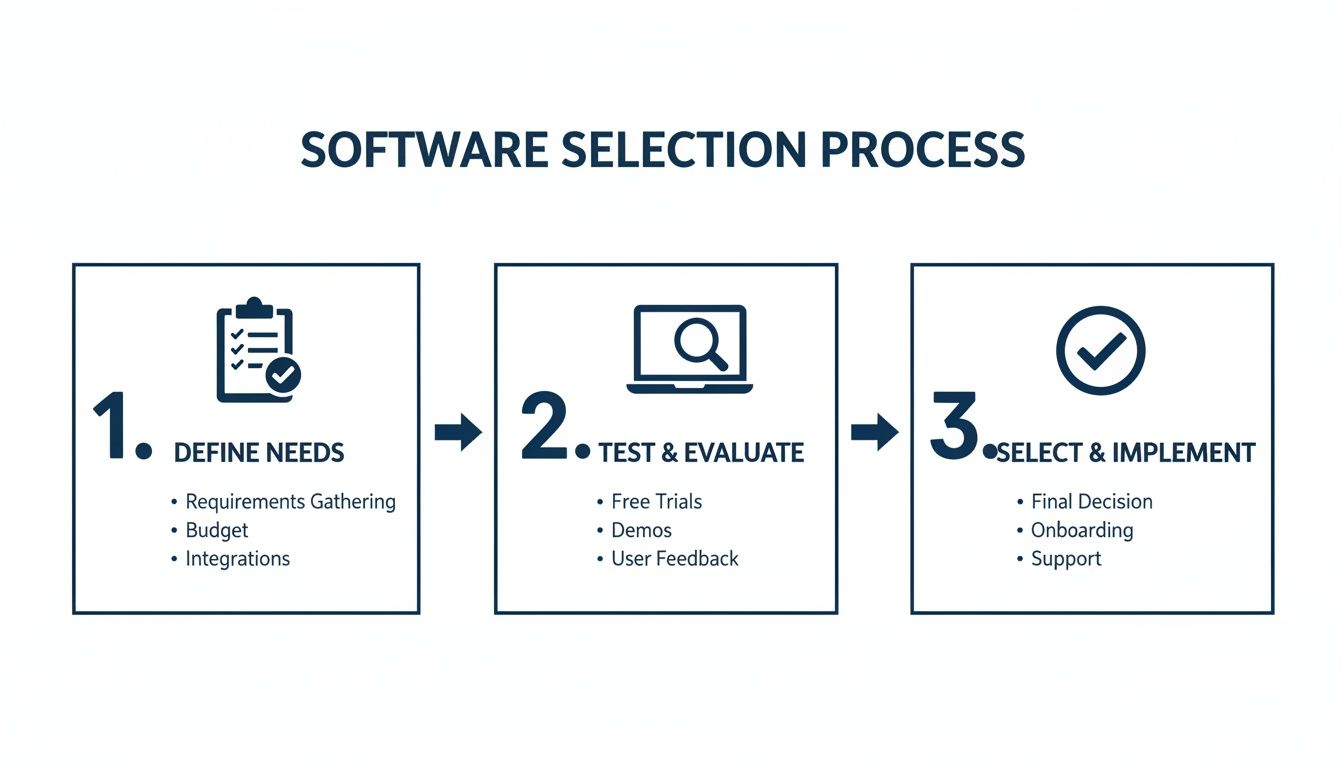
Never, ever commit to a platform without putting it through its paces first. Almost every provider offers a free trial, and you should use this opportunity to do more than just click around the dashboard.
Try to run a small, real-world project through the software. Get one or two of your key team members involved—a site supervisor and your office admin are a great start. This practical test will tell you more about the software's true fit than any slick sales demo ever could.
During the trial, pay close attention to how the platform handles your specific workflows. Remember that different tools are built for different jobs; some are all-in-one platforms, while others are specialised, like software for construction bids designed purely to help you win more work.
Ultimately, the right choice will make your operations simpler, not more complicated. By defining your needs, evaluating the key factors, and testing properly, you can choose a platform that empowers your team and protects your bottom line. Investing in the right systems doesn't just improve project delivery; it also sharpens your professional image, a key part of any strong online presence. For more on this, check out our guide on tradies website design and see how operational excellence and digital marketing go hand-in-hand.
Getting Your Team On Board and Ready to Go
You can have the most powerful construction project management software in the world, but it’s completely useless if your crew won’t use it. Let's be honest, the biggest hurdle isn't learning the tech; it's the people. A smooth rollout comes down to how you handle the human side of things and get your team to see the new tool as a help, not a headache.
Successfully getting new software adopted is all about answering one simple question for your team: “What’s in it for me?” If you focus on the individual wins instead of just the big-picture business goals, you’ll find that natural resistance to change starts to melt away.
Show Them the Personal Wins
For your site manager, it means no more nights spent drowning in a mountain of paperwork. They get more time to actually manage the build. For an apprentice, it means crystal-clear instructions and far less guesswork. For absolutely everyone, it means fewer frustrating phone calls and costly misunderstandings.
Frame the switch around these day-to-day improvements:
- Less Admin, More Building: Point out how mobile tools slash the time they spend on daily logs, freeing them up to do what they do best.
- Clearer Communication: Show them how having instant access to the latest plans and RFIs stops rework before it even starts.
- Faster Problem Solving: Demonstrate how snapping a photo and tagging an issue on a plan gets a quicker, clearer response than a garbled phone call ever could.
By properly defining what you need first and then testing your options, you make sure the platform you choose is genuinely the right fit for how your team works.
Create a Practical Rollout Plan
Whatever you do, don't try to flip the switch overnight. That’s a recipe for disaster. A gradual, phased implementation is the key to getting your team comfortable and confident with the new system, building positive momentum along the way.
First up, find a ‘champion’ in your crew—someone who’s tech-savvy, respected, and willing to lead the charge. This person becomes your on-the-ground expert, helping their mates learn the ropes. An endorsement from a trusted colleague is often far more powerful than any directive from the office.
Next, run a small pilot project. Pick one upcoming job and commit to using the new software for everything on it. This creates a low-stakes training ground where your team can learn, make mistakes, and see the benefits for themselves without the pressure of a full-scale, company-wide change.
Recent market data shows a huge swing towards cloud-based systems, especially for small to medium businesses. It makes sense. These platforms are scalable, making them perfect for a small plumbing outfit looking to grow or a solar installer expanding across the Gold Coast. The uptake of these tools really took off between 2020 and 2025, driven by remote work needs and increasingly complex projects. You can discover more insights about project management software trends in Australia.
Finally, tackle your data migration properly. Work with your software provider or an expert partner like Titan Blue to move your existing project info, client details, and documents into the new system. A clean, organised setup from day one prevents a world of frustration and ensures your team starts with reliable data they can trust.
Finding Your Next Project in the Digital Age
Getting your internal operations sorted with top-notch construction project management software is a massive win. But once your jobs are running like a well-oiled machine, you face a new problem: how do you make sure a steady stream of new clients can actually find you?
This is where all that hard work you put into being organised pays off as a powerful marketing tool. It’s no longer enough to just have a basic website. Potential clients are actively searching for modern, reliable, and efficient tradies, and you need to be the one they find.
Connecting Internal Excellence with External Visibility
This is exactly where a strategic partner like Titan Blue Australia comes in. We specialise in taking your internal strengths—like your efficient project delivery and happy clients—and making them visible to the outside world to drive real growth.
It’s all about making sure that when someone in your area searches for a quality plumber, builder, or solar installer, your business is the one that pops up.
We do this with a few key strategies:
- Expert SEO: We get your business ranking for the keywords that actually matter. Our work on SEO for tradies is specifically designed to get you discovered by local clients who are ready to hire.
- Answer Engine Optimisation (AEO): We help position your business as the go-to answer for your customers' most common questions. This builds trust and authority right from their very first search.
- AI Search and Content Strategy: Search is changing, and we’re already focused on making sure your business gets found and recommended by new AI-powered tools. We create expert content that makes you the obvious choice for both people and algorithms.
Ultimately, it’s about building a business that’s ready for the future. When you showcase how organised and software-driven your operations are, you build trust before you even send the first quote. This connection between your internal efficiency and smart digital marketing keeps your project pipeline full, so you can focus on what you do best—delivering high-quality work.
Frequently Asked Questions
Jumping into construction project management software brings up some fair questions, especially for tradies who are busy enough as it is. Let's cut through the noise and get you some straight answers to the most common worries we hear.
How Much Should a Small Business Budget for This Software?
Figuring out the cost doesn't have to be a wild guess. Most software providers get that a small business can't pay enterprise-level prices, so their pricing is built to grow with you. You'll usually find tiered plans based on how many users or projects you have running at once.
For a small crew or a sole trader, you can get started with a solid entry-level plan for a few hundred dollars a month. The most important thing is to find a provider with transparent pricing, so you don't get stung with hidden fees for data storage or support. Think about the value—if the software saves you from one costly mistake or helps you land one extra job, it's already paid for itself.
Is This Software Overkill for a Sole Trader?
That’s a common one, but honestly, it’s not overkill if you pick the right tool. The market is full of options designed specifically for smaller operators. The best software for a one-person show is mobile-first, dead simple to use, and laser-focused on the stuff that really matters: quoting, invoicing, and keeping track of your jobs.
Think of it as the ultimate admin assistant that fits in your pocket. It handles the paperwork, organises your site photos and client messages, and makes you look incredibly professional. The point isn’t to add more work; it’s to take the admin headaches off your plate so you can get back on the tools.
How Long Until My Crew Is Using It Effectively?
Getting your team on board is usually quicker than you’d think, but it won’t happen by accident. You need a bit of a plan. Realistically, it can take anywhere from a few weeks to a couple of months for everyone to get comfortable, depending on the software’s complexity and how tech-savvy your crew is.
Here are a few tips to get everyone up to speed faster:
- Start small. Roll it out on a single, low-pressure project first to work out the kinks.
- Focus on one thing at a time. Get everyone nailing the daily logs before you even think about introducing budget tracking.
- Find a champion. There’s always someone on the crew who picks this stuff up fast. Make them the go-to person for helping their workmates.
A bit of planning upfront makes all the difference. It's less about learning buttons and more about building better habits that will save you time and money down the track.
Ready to connect your operational efficiency with a powerful digital strategy that fills your project pipeline? The team at Titan Blue Australia has over 25 years of experience helping trades like yours grow with expert SEO and targeted content. Get in touch with us today.
Make Titan Blue a preferred source in Google
One click tells Google to surface our articles more often in Top Stories, AI Overviews and AI Mode.

ChatGPT GPT-6 Search Upgrade: What It Means for Australia
OpenAI rolled out GPT-6 to ChatGPT on 7 October 2026 with faster search. Here is…

Best Dental Website Design Agencies in Australia: 7 Compared
Best dental website design agencies in Australia 2026: seven compared on dental proof, booking, AHPRA…

Childcare Centre Website Design Australia: The 2026 Guide
Childcare centre website design Australia: show hours, ages and enrolment as text so parents and…